Make something
that matters.
Homes, workshops, furnishings, and handmade equipment. The aim is creative building you can revise and a craft that gives you something useful to share.
BUILDING & CRAFTING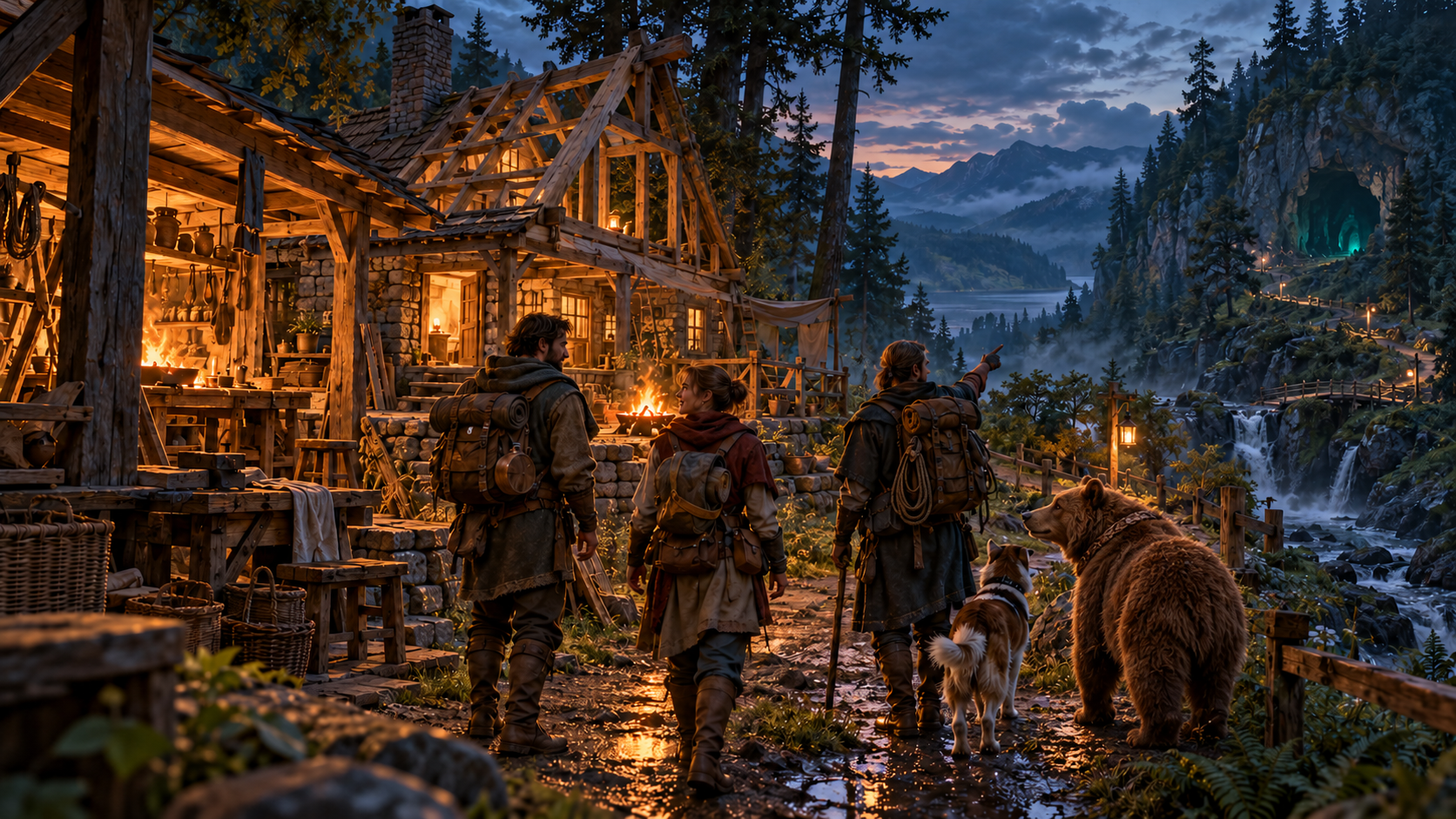
AN ATMOSINK GAME · IN DEVELOPMENT

A world to build.
An adventure to share.
Learn the skills. Earn what you have. Live as a hermit, or build a village with friends.
Created by AtmosInk, with help from ChatGPT.
In the beginning, we learned to survive by finding balance with nature. Through knowledge, hard work, and community, we built something more.
In Last Legends of Honor, everything begins with learning, and everything you have must be earned. Live quietly as a hermit, build a village with friends, or help a society grow. Every tool, shelter, and advancement carries the effort that made it possible.
Learn to survive. Respect what you build. Decide what comes next.
The ideas on this page describe where I’m taking the game. The playable woodland prototype is an early beginning; the larger world and adventures are still being built.
Homes, workshops, furnishings, and handmade equipment. The aim is creative building you can revise and a craft that gives you something useful to share.
BUILDING & CRAFTINGWoodlands, caves, strange places, and mysteries beyond camp. Shared PvE adventures in a grounded world where rare magic still feels mysterious.
EXPLORATION & ADVENTURECooperate, trade, and develop your own skills. Animal companionship is part of the direction, too: a bond built through time together, with a little personality along the way.
FRIENDS & COMPANIONS“Let’s finish the roof.
Then go see what’s
over that hill.”
Room to create. A reason to wander. A home to come back to.
The current build starts in the woodland. It’s a place to try the foundations, make a camp, and help me find what needs work.
Find stone, fiber, and wood. Craft useful tools and process fallen timber into supplies.
Place building pieces, organize storage, and turn a patch of woodland into a small camp with friends.
Explore the woodland and encounter wildlife. Return to the same shared world with your saved character, inventory, and buildings.
Early development, with rough edges. The larger landscapes and adventures shown in the concept art are goals, not the current playable world.
Install the Windows client, and import the individual invitation supplied by the host. Keep that file private—it’s your way into the shared world.
Packaged game client
Loading file details…
Right-click the downloaded Windows tester ZIP and choose Extract All. Open LLHTester.exe from the extracted folder. Keep all included files together; leave Game.zip zipped for the launcher to install. Choose your private invitation once; it is remembered for later launches.
Open the same LLHTester.exe next time. It checks and installs required launcher and game updates before launching. An internet connection is required. Updates do not interrupt a game already running.
SHA-256
Loading…Use the same invitation when you return to your character. Downloads do not include server access.
On Windows, extract the complete tester ZIP and open LLHTester.exe. Choose your personal .llhinvite file using Choose/Change invitation. It is remembered; no server address or path typing is needed. Select or create your character inside the game. Keep your invitation private.
Open the same LLHTester.exe whenever you play. It verifies and installs launcher updates and game updates automatically before starting. Keep using the same desktop entry; you do not need to download a new tester ZIP for future updates. If verification fails, use Retry once your connection is available; a running game is not force-restarted.
The header is AI-generated concept art created with ChatGPT. It illustrates the atmosphere and long-term direction. It is not a screenshot or a promise of features in the current build.
Open your usual LLHTester.exe to update to 0.1-woodland.20261109.23. This checklist is for the current terrain repair. Test with a friend when possible.
Report an issue: include your build version, location or nearby landmark, exact steps, expected result and actual result. Say whether you were alone or with friends, and whether a change was still private or already saved. Include a screenshot or short clip, plus the game log for a freeze, crash or disconnect. Keep invitation files and credentials private.
We are focusing on Windows while we finish and test the game. Builds for Mac and Linux are planned for later.
DEVELOPMENT JOURNAL · UPDATED NOVEMBER 9, 2026
Small playable updates, shaped by feedback from our testers.
Terrain editing now waits for a ready private draft. Use Ctrl + wheel for brush height while aiming freely. This release also repairs movement readiness and terrain coverage. See what to test in .23.
The earlier Space/C brush controls have been replaced. In .23, Ctrl + wheel changes brush height; Space/C moves the editing camera vertically. F resets the brush height offset. Follow the current testing checklist.
Corrects vertical mouse direction while editing terrain. The tester download includes a terrain controls guide. This is a Windows client update; the live game server remains unchanged.
Terrain controls now use the new volumetric tool. Equip the mattock and use Tab for its settings. This release also updates terrain collision readiness.
The old blue prototype puddle has been removed. The river and unlimited supply chest remain available.
The game prepares collision ahead as you walk. The unlimited tester supply chest is back near spawn.
Equip a Stone Mattock and press T to edit. Dig into hillsides or shape the ground, then press T to save your edits. Your existing character and invitation still work.
Recall your living bonded pets without finding or targeting them first. Your first exclusive bond unlocks the ability; returning companions use their normal movement and remain yours.
Wildlife now forms multiple groups across suitable woodland habitats. The Bond panel shows permanent-bond requirements and progress, including locked actions.
Open LLHTester.exe for the matching update and continue with your existing invitation.
Meet animated geese, rabbits and wild boar, built on the shared wildlife and companion system. Geese can walk and swim; rabbits and boar forage and react to nearby danger.
Offer suitable food, build trust and use the actions available for each animal. Your existing bear, deer, character and personal invitation stay with you. Open LLHTester.exe to receive the matching update.
This weekly tester release is ready for your hands-on gameplay feedback. Wolf, fox, beaver and bird flight remain future work.
Deer use the supplied realistic model and animations, with smoother turns, obstacle-aware movement, feeding and finite harvest resources. Healthy deer retain their previous running speed.
Offer berries and build trust. Accept friendship in the Bond tab to become the exclusive owner and unlock Follow, Wait and Come. Other trusted players may help care for your deer; they cannot take ownership or command it. Deer do not eat meat or carry cargo.
Friendship, selected commands and your inventory survive reconnecting. Open your existing LLHTester.exe to update and keep using your personal invitation.
Your bear now keeps its selected command through hunger, rest and temporary obstacles, with clearer accepted, refused and current-activity feedback. This update improves following, waiting, hunting, protection, returning home and moving around trees, walls and players.
Feed meat or berries through the bear menu. To leave a meal, choose Drop 1 for bear food; ordinary dropped items stay reserved. Open LLHTester.exe to update, then test commands, food, obstacles and reconnecting with your existing companion. Journal and riding expansion remain on the future checklist.
Foundations now level a small supported area on suitable uneven ground. Ground storage and shelters fit supported slopes, and campfires can sit on your log floor. Saved support checks handle the edge of leveled ground and ignore non-solid water triggers.
Packaged Windows-to-Linux placement and saved reconnect checks passed. Please test foundation placement on gentle slopes, storage, shelters and campfires, then reconnect and check your construction. Send a screenshot and location for any rejected placement.
This Windows update adds terrain-following connected rivers and waterfalls, visible downstream flow, and bonded-bear shore, shallow-water, swimming, current and exit behavior while preserving the existing world.
Automated Windows/Linux water traversal and saved reconnect passed. Physical pickup, berry-harvest and ridden-bear input remain on the team playtest checklist; report problems with a screenshot, location and steps.
This Windows update lets bears sit and lie on ordinary uneven ground, locks body yaw while resting, makes the explicitly opted-in testing chest available as a global build and craft supply, and restores buried berry bushes while preserving world progress.
Water, equipment and wildlife encounter changes are not included. Please report problems with a screenshot, location and steps to reproduce.
This Windows update repairs timed stump harvesting and removal while preserving world progress, player inventories, structures, resources and companion ownership. It retains the standing-tree and waterfall repairs.
Please test stump harvesting, reconnecting and normal bear companion play. Broader woodland visuals still need review. Report problems with a screenshot, location and steps to reproduce.
This Windows update repairs the ground alignment of saved standing trees while preserving world progress, player inventories, structures and companion ownership. It retains the bear companion checkpoint and restored waterfall pool water.
Please test tree placement, harvesting and reconnecting. Some tree intersections and broader woodland visuals still need review. Report problems with a screenshot, location and steps to reproduce.
The bear companion checkpoint is ready for team testing, with responsive command menus, companion behavior and cargo. This update also restores the missing pool water around the waterfall and includes the existing chest, item-drop and ground-placement fixes.
Please report bugs with a screenshot, location and steps to reproduce. Some tree placements remain under investigation; no tree-grounding change or world reset is included.
The LLOH and AtmosInk Music testing chest offers unlimited supplies to everyone on the server. Take items from its menu, or craft and build nearby using its supplies directly. The chest remains available until the host removes it.
This update also includes woodland wildlife distribution changes, updated timber materials, and building placement improvements. Large terrain redesign and native Landscape experiments are deferred while players test this release.
Please test shared chest access, nearby crafting and building, uneven-ground placement, tree cutting, and reconnecting. For problems, send a screenshot, location, what you were doing, and the game log if a disconnect or crash occurred.
Windows 0.1-woodland.20261023.3 fixes stretched water triangles around waterfall pools and gives steep falling water its own flowing surface. Open LLHTester.exe to update.
Check both waterfalls from the banks and while swimming. Send a screenshot and location if water separates from the terrain. Rock shapes, foam and splashes remain work in progress.
Windows 0.1-woodland.20261023.2 fits river water to the terrain banks and bed, removes disconnected water behind raised banks, and updates swimming boundaries when terrain changes. Open LLHTester.exe to update. Waterfall and pool edges still need work; this update does not finish those effects.
Please walk the banks, swim, edit and restore a bank, then reconnect. Send the build version, location and a screenshot if water or collision looks wrong.
Windows 0.1-woodland.20261023.1 adds detailed pine bark with consistent texture scale on mature trees, young trees and fallen timber. Open LLHTester.exe to update.
Please check bark up close and at a distance, then try processing a fallen tree.
The current prototype includes a larger pine woodland, rivers and waterfalls, swimming, updated plants and resource art, animated deer, and render-distance settings.
These are early implementations. Water edges, wildlife behavior and forest appearance still need work.
More natural waterfall shapes, better contact foam and splashes, and further water polish.
Smoother deer movement, wildlife spread through suitable forest habitats, roaming for food and cover, and harvestable plants for in-game feeding. Pine canopy and forest-floor improvements are also on the list.
Help us test: send the build version, location, what happened, and a screenshot or short clip. Plans may change as we learn; planned features are not release promises.
04 / WHO’S BEHIND IT?
I’m AtmosInk. This is my game project, and I’m building it with help from ChatGPT.
I bring the ideas, make the decisions, and decide what feels right. ChatGPT helps with coding, troubleshooting, and turning those ideas into something playable.
There’s no big studio behind this. It’s a personal project, a lot to learn, and a world I want to share with friends. I’ll show what’s working, be honest about what isn’t, and keep building.
Build something. Get curious. Bring your friends.